





 asdar.id menyediakan Member Premium Download untuk download file tanpa embel-embel iklan dan halaman, apa lagi harus menunggu timer yang begitu lama. Dengan berlangganan Member Premium Download, semua file dapat didownload dengan singkat langsung menuju ke sumbernya!, klik DISINI untuk DAFTAR atau DISINI untuk LOGIN :-) Jika ada pertanyaan silahkan hubungi Admin DISINI. Untuk cara download file Member Free Download, bisa membaca Tutorial Download yang ada dibawah Timer (halaman Safelink) saat menekan tombol download.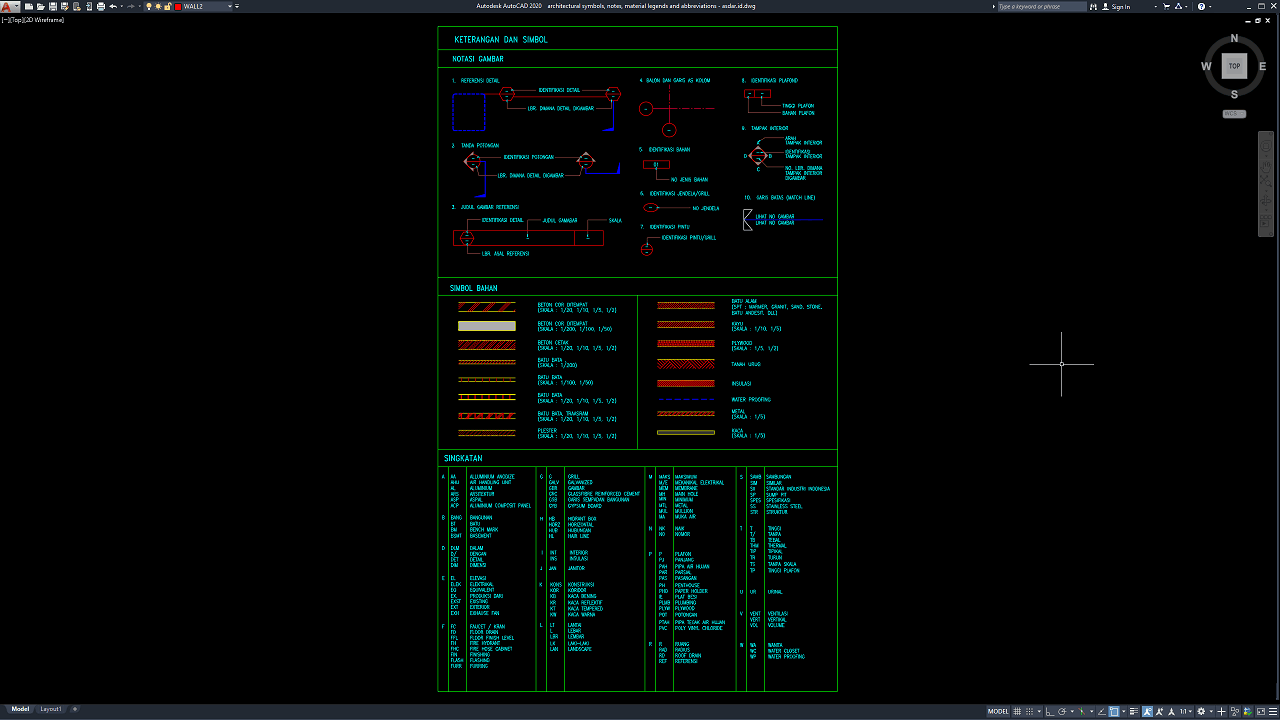
Architectural Symbols, Notes, Material Legends and Abbreviations DWG AutoCAD is a useful technical reference for architects, civil engineers, interior designers, CAD drafters, and construction professionals who work with architectural drawings and building documentation.
This drawing provides a collection of commonly used architectural notations, material symbols, hatch patterns, and technical abbreviations that help improve drawing interpretation and communication throughout the design and construction process.
What Are Architectural Symbols, Notes, Material Legends and Abbreviations?
Architectural symbols, notes, material legends, and abbreviations are standardized or project-specific graphic and textual elements used in architectural drawings to communicate technical information clearly and efficiently. They help identify building components, construction materials, dimensions, drawing references, and other important details without requiring lengthy descriptions throughout every drawing sheet.
Architectural symbols represent specific elements or references, such as section markers, detail references, grid lines, ceiling levels, interior elevations, doors, windows, and other building components. Material legends use different hatch patterns and graphic representations to distinguish materials such as concrete, brick, plaster, wood, insulation, waterproofing, and glass. Meanwhile, architectural abbreviations simplify technical labels and descriptions commonly found in floor plans, elevations, sections, and construction details.
Functions of Architectural Symbols and Material Legends
The main function of architectural symbols and legends is to make technical drawings easier to read, understand, and interpret. By using consistent graphic representations, architects and engineers can communicate design information more efficiently while reducing confusion between different building elements and construction materials.
Material hatch patterns help identify the materials represented in wall sections, floor assemblies, structural components, and other construction details. Drawing notations provide references to specific details, sections, elevations, and other views, allowing users to navigate between related drawing information. Technical abbreviations also help save drawing space while maintaining clear communication between architects, engineers, contractors, and CAD technicians.
Download Architectural Symbols, Notes, Material Legends and Abbreviations DWG AutoCAD
Detailed Architectural Symbols, Notes, Material Legends and Abbreviations DWG AutoCAD drawings provide useful technical references for understanding the graphic conventions and terminology used in architectural drafting and construction documentation. These drawings are particularly useful for architects, civil engineers, interior designers, CAD technicians, contractors, architecture students, and construction professionals who need to interpret architectural symbols, drawing notations, material representations, and technical abbreviations.
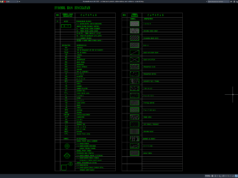
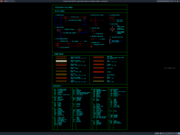
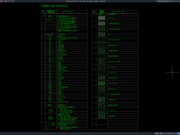
As shown in the uploaded drawing, the CAD sheet presents architectural drawing notations, reference symbols, material hatch patterns, and an extensive list of architectural abbreviations arranged in organized reference sections. The notation section includes detail reference markers, section indicators, drawing titles, scale references, column grid identification, ceiling level symbols, interior elevation markers, and other architectural annotations. The material legend illustrates different hatch patterns representing concrete, brick masonry, plaster, stone, wood, insulation, waterproofing, glass, and other building materials. Meanwhile, the abbreviation section contains technical terms related to architectural elements, construction materials, dimensions, building components, and installation systems. Together, these references provide a convenient visual guide for reading and preparing architectural drawings.
These AutoCAD DWG references can support architectural drafting, construction detailing, material identification, drawing coordination, and the preparation of technical documentation. Drawing notations help readers identify related plans, sections, elevations, and enlarged details, while material hatch patterns make it easier to distinguish construction materials in sectional views. The abbreviation list also helps simplify technical annotations and maintain consistent terminology across different architectural drawing sheets. This makes the drawing useful for professionals and students who want to improve their understanding of architectural drafting conventions and technical drawing standards.
Detailed AutoCAD DWG files allow users to review and adapt architectural symbols, drawing notes, material legends, hatch patterns, and technical abbreviations according to specific project requirements. This drawing serves as a useful reference for architectural drawing symbols, AutoCAD architectural abbreviations, construction drawing legends, architectural notation references, material hatch patterns, CAD drafting standards, building material symbols, architectural construction details, technical drawing annotations, and architectural DWG files.
Before using these references in professional construction documents, all symbols, abbreviations, hatch patterns, text sizes, and drawing conventions should be checked against project specifications and applicable drafting standards. Their meanings may vary between organizations, disciplines, and countries, so the relevant information should be clearly defined in the project legend. This DWG file should be treated as an architectural drafting reference for drawing interpretation and documentation rather than as a complete construction drawing set.
This drawing is provided in .dwg format, which means you can open it directly using the latest version of AutoCAD or an older version, such as AutoCAD 2004. You can also edit the drawing to modify it according to your preferences or design requirements. The captions in the images are in a mix of English and Indonesian, so you may need to translate them into your own language to understand them.
For those of you who prefer a simpler and faster download experience on asdar.id, I also provide a Premium Member Download service that allows direct access to the original file. This way, you will not be disturbed by excessive advertisements or multiple redirect pages during the download process. If you are interested, please register HERE. Please download the Architectural Symbols, Notes, Material Legends and Abbreviations DWG AutoCAD file below:
Architectural Symbols, Notes, Material Legends and Abbreviations DWG AutoCAD
| Google Drive | DOWNLOAD[40.17KB] |
| Mediafire | DOWNLOAD[40.17KB] |
Rar password: www.asdar.id
Important Note: If you encounter a problem where the WinRAR file cannot be extracted or appears corrupted, the solution is to update the WinRAR application on your computer to the latest version. Download the latest version of WinRAR here.
If you would like to copy this article, please include the original source because I have seen some blogs repost the content without providing proper credit. Otherwise, please rewrite it using your own words. Respect and appreciate the work and effort of others.
Architectural Symbols, Notes, Material Legends and Abbreviations DWG AutoCAD as a practical reference for understanding architectural drawing notations, material hatch patterns, technical symbols, and common construction abbreviations. This CAD resource can assist architects, civil engineers, interior designers, contractors, and CAD technicians in preparing clearer and more organized architectural drawings. With editable DWG elements, users can adapt the symbols and legends to suit their project requirements and improve the quality of their technical documentation.